
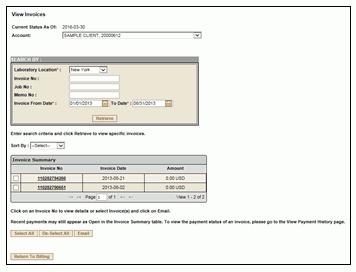
This page displays the invoice details for the selected Account based on the search criteria.
SEARCH BY TABLE:SEARCH BY TABLE:
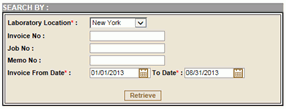
To search for specific invoices, first select a Laboratory Location, then enter an additional parameter and click Retrieve.
The Intake Date range defaults to 90 days. If you want to search for invoices applied within a different date range, you may edit these fields.
If a Job number or Memo number are entered, all invoices associated with that Job or Memo will be displayed.
INVOICE SUMMARY:INVOICE SUMMARY:
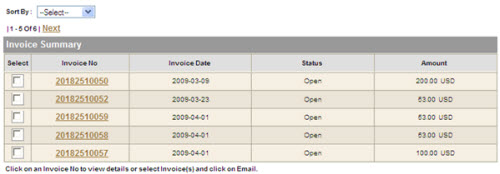
The Invoice Summary displays the invoices applied within the search criteria chosen on the Search By Table.
Sort By - To sort the invoices by Invoice number, Invoice Date, Status or Amount, use the Sort By pull-down.
Invoice No. - To view and print the invoice details, click the Invoice No. hyperlink.
Invoice Date - The date the invoice was generated.
To print an invoice:
1. Click the Invoice No. hyperlink.
2. Print the PDF version of the invoice.
To email results:
Select the invoices you would like to email by clicking the checkboxes in the first column. The Select All and De-select All features are also available.
Click Email.